
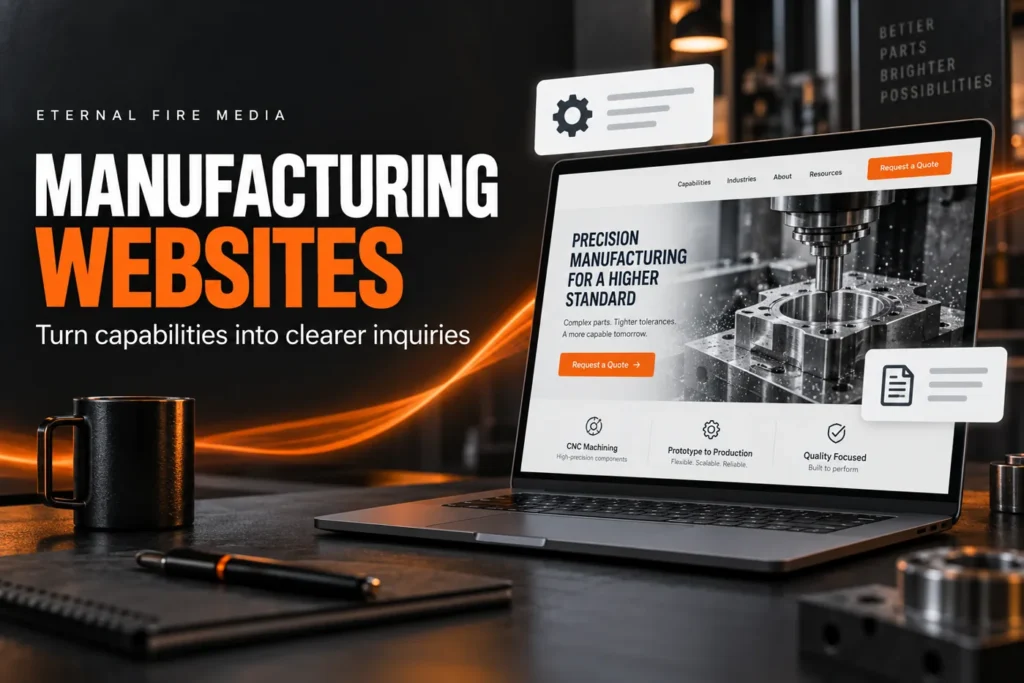

WordPress websites for manufacturing companies work best when they help a buyer answer three questions: Can you make what I need? Can I trust your process? How do I start a conversation? A good-looking homepage helps, but clear capability pages and a straightforward quote request matter more than a dramatic factory video.
You do not need to put your entire sales process online. You do need enough useful information for an engineer, purchasing manager, or business owner to decide whether your shop belongs on their shortlist. Here is how I would plan that website.
Start with the work you want more of
Before choosing a layout, decide which inquiries would actually be useful. A company taking on repeat production runs needs different content from a shop focused on one-off fabrication. If your website says you do everything for everyone, your team may spend more time explaining what you do not offer.
Write down your priority processes, materials, typical project types, and any real limits buyers should know about. Ask whoever handles quotes which questions come up before a project can move forward. Those answers belong in your content plan.
For example, a hypothetical CNC shop might want buyers to explain the material, approximate quantity, and timing before discussing a drawing. That is a better starting point for its website than a generic promise about “innovative solutions.”
Give each main capability a useful page
A capability page should explain the work in the language a buyer uses. Describe the process, relevant materials, applications, and what makes a project a good fit. Add equipment details or tolerances only when your team has verified them and they help someone make a decision.
You can start with a small group of strong pages: a homepage, core capabilities, quality information, company background, and a quote or contact page. Add separate industry pages when you have distinct experience and useful information to share. Our guide to how many pages a business website needs explains how to choose pages by purpose.
Keep important details in readable page text. A downloadable capability statement can be helpful, but visitors should not have to open a PDF just to learn what you manufacture. Use clear headings and link related capabilities so people can move through the site without starting over.
Show evidence a buyer can check
Real photographs of your facility, equipment, and finished work help explain your business. Use approved project examples and describe the challenge, your contribution, and the result you can substantiate. If a customer has not given permission to be named, leave the name and identifying details out.
Keep certifications accurate and current. Say what they cover rather than placing a badge beside a vague quality claim. If you provide a certificate download, give someone responsibility for replacing it when it changes. Avoid publishing customer drawings, restricted specifications, or anything your agreements prevent you from sharing.
You do not need a long list of impressive-sounding industries. A clear explanation of the work you can support is more useful than implying experience you have not earned.
Make the quote request easy to start
A useful first inquiry form usually needs a name, business email, company name, and a short description of the project. Phone number, quantity, material, and target timing may help too, but only require information your team genuinely needs at this stage.
Tell visitors what happens after they send it. A simple explanation such as “Tell us about the project and we’ll review the next step with you” sets expectations without promising an unverified response time. Keep a visible phone option for someone who would rather talk.
If buyers need to send drawings, decide on an appropriate file-sharing process before adding uploads. A basic public contact form should not be the default route for confidential or controlled technical files. Explain how to arrange a suitable transfer when needed.
Test the full inquiry path on a phone. Check that labels are readable, errors explain what to fix, notifications reach the right person, and the success message appears clearly. A form that looks fine but loses inquiries is not doing its job.
Why WordPress is a practical fit
Self-hosted WordPress gives you flexibility to organize capability pages, update project examples, and expand the site as your business changes. You can start with a focused lead-generation website without building an online store or a complicated quoting system.
It also lets you separate everyday editing from technical administration. WordPress provides different user roles and permissions, so a person maintaining page content does not automatically need access to every site setting.
That flexibility comes with responsibilities. Hosting, backups, updates, and form checks still need an owner. Too many plugins or oversized photos can make a simple site harder to maintain. Good WordPress website design includes deciding how the site will be managed after launch, not just what it looks like on launch day.
Help the right buyers find the right page
Use specific titles and descriptions that match what each page actually covers. A fabrication page should explain fabrication; it should not repeat a long list of unrelated services and city names. Mention your real location and service area where they help buyers understand logistics.
Google’s guidance on helpful content emphasizes useful, trustworthy information written for people. For a manufacturer, that means answering real purchasing questions with details your team can stand behind. It does not mean publishing dozens of nearly identical pages.
Clear content also gives search systems more context about your business, but no page structure guarantees rankings or mentions in AI answers. Our SEO services focus on improving relevance, technical accessibility, and the information customers need to choose you.
Keep the website useful after launch
Assign someone to review changes in equipment, capabilities, certifications, contact details, and available downloads. Remove outdated promises. Check the inquiry form regularly and review whether the requests coming in match the work you want.
Page views alone will not tell you whether the website is helping. Ask your sales team which inquiries were relevant, what information buyers were missing, and which questions could have been answered on the site. Use those conversations to improve the next round of content.
If keeping up with the technical side is taking time away from your business, website management and maintenance can give that work a clear home.
Let’s make your capabilities easier to understand
If you are planning a manufacturing website, start with the services you want to sell and the questions your buyers ask. We can help turn that information into a WordPress site that is clear, easy to use, and ready for ongoing updates. Tell us what your website needs to do.